MOBAA
Welcome to the Arena (MVP Playtest)
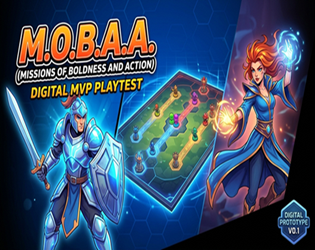
M.O.B.A.A is a competitive, turn-based virtual tabletop board game designed to capture the high-stakes tactical decision-making of digital MOBAs (League of Legends, DOTA 2, Brawl Stars) in a chess-like, strategic board game format.
This is a Pre-1.0 Minimum Viable Product (MVP) built in Godot 4.4. We are releasing this early build directly to the community to gather raw gameplay balance data, hero tuning feedback, and feature requests.
Key Features (Current MVP Build)
- 🌐 Playing in the Browser
For the best experience when playing directly in your web browser:- Go Fullscreen: Click the Fullscreen button in the bottom-right corner of the game frame as soon as the match loads.
- Better View & Control: Fullscreen mode gives you an unhindered view of the entire game board, prevents accidental browser scrolling, and ensures precise mouse controls when selecting units or tiles.
- Exit Anytime: You can exit fullscreen mode at any time by pressing
Esc.
- ⚔️ Tactical Grid Combat: No twitch reflexes required. Master position, line-of-sight, range, and team management to outsmart your opponents.
- 🛡️ Iconic MOBA Mechanics: minion waves, contest objectives, manage cooldowns, and time your abilities for game-changing team fights.
Download
Install instructions
🎮 How to Download & Play M.O.B.A.A
Thank you for playtesting the early MVP release of M.O.B.A.A! Follow these quick steps to get the game up and running on your Windows PC:
Quick Installation Guide
- Download the Package:
- Scroll to the top or bottom of this page and click the Download button next to
mobaa-windows-v0.1.zip.
- Scroll to the top or bottom of this page and click the Download button next to
- Extract the Files (Important!):
- Locate the downloaded
.zipfile in your Downloads folder. - Do not launch the game directly inside the zip. Right-click the
.zipfile and select Extract All... (or Extract here using WinRAR / 7-Zip). - Choose a folder on your PC (such as your Desktop) and complete the extraction.
- Locate the downloaded
- Launch the Game:
- Open the newly extracted folder.
- Double-click
mobaa.exeto launch the game!
⚠️ Common Windows Security Notice (SmartScreen)
Because this is an early independent playtest build, Windows Defender SmartScreen or your antivirus software may display a standard pop-up saying "Windows protected your PC" or "Unknown Publisher".
- To run the game: Simply click "More info" on the pop-up window, then click the "Run anyway" button that appears.